# Darkwave Documentation
> Darkwave is a batteries-included toolkit for building data-driven web applications with Astro.
> A meticulously curated selection of reliable and approachable tools, combined into a professional-grade full-stack boilerplate with pre-wired functionality and components for common SaaS and CRUD features.
Site: https://darkwavejs.com
Docs: https://darkwavejs.com/docs
Field Guide: https://darkwavejs.com/fieldguide
---
# Docs
## Ethos
URL: https://darkwavejs.com/docs/ethos
**On a scale of skateboard to aircraft carrier, it's a cargo van.**
DW doesn't solve every problem, but it has really good solutions for the problems it does solve. Think Toyota 4Runner: reliable, dependable, useful, just works, still a delight to use.
## Guiding Principles
- **Pragmatic solutions using boring techniques** - Professional, maintainable solutions without unnecessary complexity
- **Code that is easy to understand** - Clarity over cleverness
- **Proven, stable patterns** - Over bleeding-edge features
- **Long-term maintainability and reliability**
Code should be easy to write and easy to read. Basic and simple, no frills.
## Conventions over Configuration
DW sets standards: we use Kysely, MySQL, Tailwind, shadcn. If you're using DW, you're not using Prisma or Drizzle.
## Design Goals
- Easy to learn (help teams get up to speed quickly)
- Efficient (enable tasks to be completed as quickly as possible)
- Consistent (prevent teams from wasting time relearning)
- Transparent (allow bugs to be diagnosed and solved easily)
- Resilient (ensure what works today also works next year)
- Perfectly suited for quick prototyping with reliable results
## What We're Building
A robust system boilerplate that's easy to modify and maintain. Do the predictable obvious thing, nothing too clever. Designed to be flexible enough to fit a variety of use cases and work with a variety of services (hosting providers, CDN, image storage, mailers).
Goal: make it just as easy to build a custom CRUD app as it is to configure a generic CMS.
---
## Who needs it?
URL: https://darkwavejs.com/docs/who
DW is designed to be approachable and beginner-friendly, but it's intended for professional software developers building custom applications for clients.
If you like the idea of Rails or Laravel but want to write JavaScript without being too restricted, this is for you. DW provides structure and guidance without excessive constraints.
## Ideal Projects
DW is most useful for:
- Internal tools and intranets
- Company/organization portals
- Custom ERP software
- Bespoke web applications
- Content management systems
- B2B SaaS applications
Particularly suited for managing user-generated content, especially images. Astro is already designed for content-driven websites; DW excels at managing user-generated content.
## Built to Ship
A JavaScript stack for solo devs who ship. Good for building turn-key SaaS businesses. Useful for both large enterprise apps and small custom sites.
---
## Why?
URL: https://darkwavejs.com/docs/why
## Why does this exist?
I've tried many frameworks and CMSs over the years, and they all felt cumbersome and unwieldy.
Web development doesn't need to be so hard. Sure there's complexity involved, but it doesn't need to be nearly as difficult as people make it. The majority of development problems are already solved. A clean system that combines the basic functionality will handle 80% of the problems, letting you spend energy on what matters most.
The real value of DW (and any framework) is that the big decisions are made for you. I've thought long and hard about these solutions and settled on pragmatic decisions with a few key principles:
- Keep architecture as simple as possible
- Keep the workflow simple too
- Make boring decisions (avoid being overly clever)
### Focus on Development Speed
- Don't get lost in the weeds solving problems you don't need to solve
- Get "table stakes" functionality without having to invent it: 2FA, image uploads, job queues, email service
- Focus on building complex features fast and shipping
## Why would I use it?
If you've bemoaned the time and effort to set up auth, this is for you. If you've thrown objects across the room while trying to get photo uploads working with cropping, this is for you. If a client has asked you to build a bespoke back office system, this is for you.
This is especially for you if you want to build something well-thought-out and reliable without having to think about it.
## Why this technology?
### Why Astro?
- Beginner-friendly with an easy dev workflow
- Use React, Vue, or Svelte components if you want
- Clean organization, easy enough to make it what you need
- Easy enough deployment story
### Why Node?
- It's everywhere with tons of integrations
- Easy to set up locally
- More secure on a VPS than PHP apps
### Why TypeScript?
Full disclosure: I don't love TypeScript. For 10 years DW was written in PHP and it was great.
But here I am, using TypeScript for new apps. The ecosystem is huge with tons of free libraries. It's easier than it used to be. Fast enough processing, reliable architecture. IDEs love it with type definitions and click-through function references.
TypeScript is also great for AI-assisted development. You can write apps with this stack incredibly fast using Claude and Cursor.
### Why shadcn?
We embraced React specifically to use shadcn. The React ecosystem is hard to beat - the React version of any given tool is almost always the most well-designed.
Maintaining your own component library is torture. We want to rely on people doing this as their main focus, solving hard problems with industry-standard solutions.
### Why these specific tools?
There's so much stuff out there, and not all of it is good.
DW uses carefully vetted dependencies. We try to make the most "normal" decisions - straightforward and obvious choices, not too clever. Do what you can with the provided libs (Alpine, Tailwind, etc.) before reaching for anything else.
---
## ButtonDelete
URL: https://darkwavejs.com/docs/components/buttondelete
Delete button with confirmation dialog.
## Usage
```astro
```
## Props
| Prop | Type | Description |
|------|------|-------------|
| `text` | string | Button text |
| `confirmTitle` | string | Confirmation dialog title |
| `confirmText` | string | Confirmation dialog message |
| `endpoint` | string | API endpoint for deletion |
| `redirectUrl` | string | URL to redirect after deletion |
---
## ButtonLink
URL: https://darkwavejs.com/docs/components/buttonlink
Styled anchor link component.
## Usage
```astro
```
## Props
| Prop | Type | Description |
|------|------|-------------|
| `href` | string | Link destination |
| `text` | string | Link text |
| `variant` | string | Style variant (primary, secondary, outline) |
| `target` | string | Link target (_blank, etc.) |
---
## ButtonSubmit
URL: https://darkwavejs.com/docs/components/buttonsubmit
Form submission button with loading states and success feedback.
## Usage
```astro
```
## Props
| Prop | Type | Description |
|------|------|-------------|
| `text` | string | Button text |
| `workingText` | string | Text shown while submitting |
| `showSuccessAlert` | boolean | Show success alert |
| `successButtonText` | string | Text after successful submit |
| `successButtonResetDelayMs` | number | Delay before resetting button |
| `form` | string | Form selector |
| `endpoint` | string | API endpoint for submission |
---
## Hello, Cruel World
URL: https://darkwavejs.com/docs
Darkwave is a batteries-included toolkit for building data-driven web applications with Astro.
A meticulously curated selection of reliable and approachable tools, combined into a professional-grade full-stack boilerplate with pre-wired functionality and components for common SaaS and CRUD features.
## Full stack web apps with Astro
Building full stack apps with Astro can be fun and rewarding. Astro is beginner-friendly while being robust and capable of supporting professional functionality.
## DW = Don't Worry
**We help you get started faster.** The bulk of technical decisions are already made. Focus on the things that make your app unique.
Fewer decisions means fewer opportunities to overthink and over-engineer. Build your project quickly. Spend more time with your family and friends.
## It's all about the workflow
DW is less of a technical framework and more of a methodology for building functionality in a modular way that is both understandable and maintainable.
A pragmatic approach to developing high quality data-driven applications quickly and reliably.
---
## What is this?
URL: https://darkwavejs.com/docs/what
Darkwave is three things:
1. **The Stack** - A pre-wired configuration of frameworks, libraries, and dev tools
2. **The Boilerplate** - A starter kit with auth, middleware, and extendable admin
3. **The Philosophy** - Guiding principles for building maintainable applications
In practice, Darkwave is just a starter kit for Astro. At a higher level, it's [an entire paradigm](/docs/ethos) for building web applications.
## The Stack
A pre-wired configuration of specific frameworks, libraries, and dev tools. Straightforward, responsible choices for building reliable CRUD apps.
You don't have to deal with the foundational minutiae of starting a new project. The boring problems are solved: we've done the research, evaluated options, and put together a good starting point.
### Core Stack
- [Astro](https://astro.build) (SSR with [Node.js](https://nodejs.org/) adapter and [TypeScript](https://www.typescriptlang.org/) support)
- [MySQL](https://www.mysql.com/) (8.0) with [Kysely](https://kysely.dev/) query builder
- [Better-Auth](https://www.better-auth.com/)
- [Tailwind CSS](https://tailwindcss.com/) with [shadcn/ui](https://ui.shadcn.com/)
### Supporting Libraries
- [Alpine.js](https://alpinejs.dev/)
- [HTMX](https://htmx.org/)
- [Cropper.js](https://fengyuanchen.github.io/cropperjs/)
- [Dropzone](https://www.dropzone.dev/)
- [Flatpickr](https://flatpickr.js.org/) - Date picker
- [SortableJS](https://sortablejs.github.io/Sortable/)
- [Validator.js](https://github.com/validatorjs/validator.js)
- [Iconify](https://iconify.design/)
- [Nodemailer](https://nodemailer.com/)
## The Boilerplate
### Application Structure
- Middleware configuration
- Config management
- Database schemas
- Default CSP, CSRF validation for forms
- Environment variable handling
- Alias imports (`@/` path resolution)
### Authentication System
- JWT-based authentication middleware
- Role-based access control
- OAuth configured with Google login
- Login/register templates wired with Better-Auth and Nodemailer
### Components
- Form UI components
- Form and input validation
- Photo uploads and gallery management
- File upload handling with storage providers (S3/R2, Bunny.net, local filesystem)
- Image processing (optimization, cropping)
### Backend Utilities
- CRUD abstraction helpers
- Email notification components
### Admin App
- Simple base you can extend as needed
- Or ignore entirely
## The Philosophy
DW codifies best practices in a way that others can understand and follow. Clear coding standards with enough examples between the codebase and docs to understand how to build with this toolkit.
---
## Vibes
URL: https://darkwavejs.com/docs/vibes
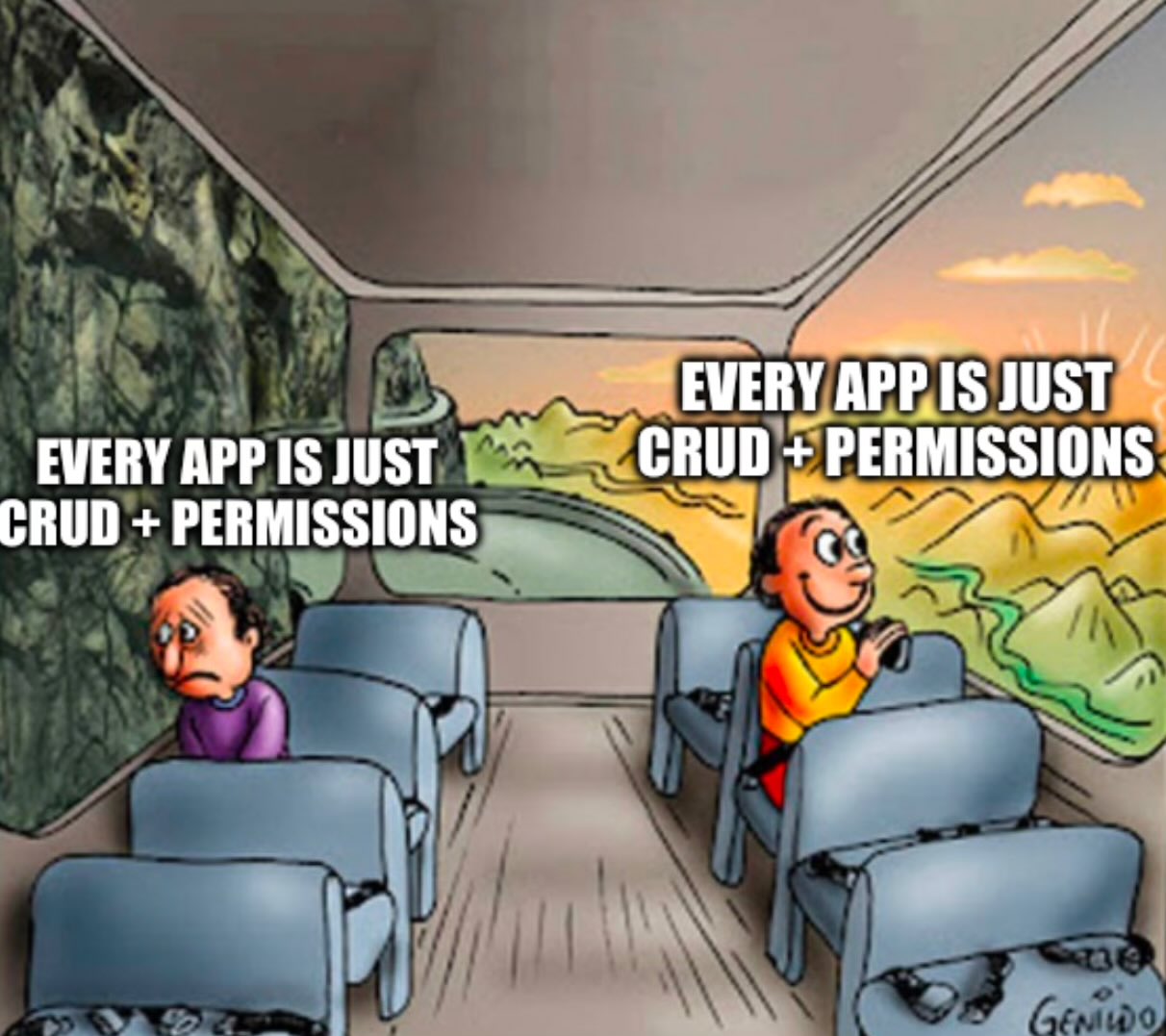
A meme is worth a thousand manifestos.
## Modular Building Blocks
Pre-wired full-stack components with purpose-specific functionality. Designed to provide a productive, efficient workflow built on reliable technology.
Building with DW should feel like assembling IKEA furniture: not always quick and easy, but achievable by one or two people who can follow directions and understand how things fit together.
## Electronics Kit Energy
Did you ever play with one of these as a kid?
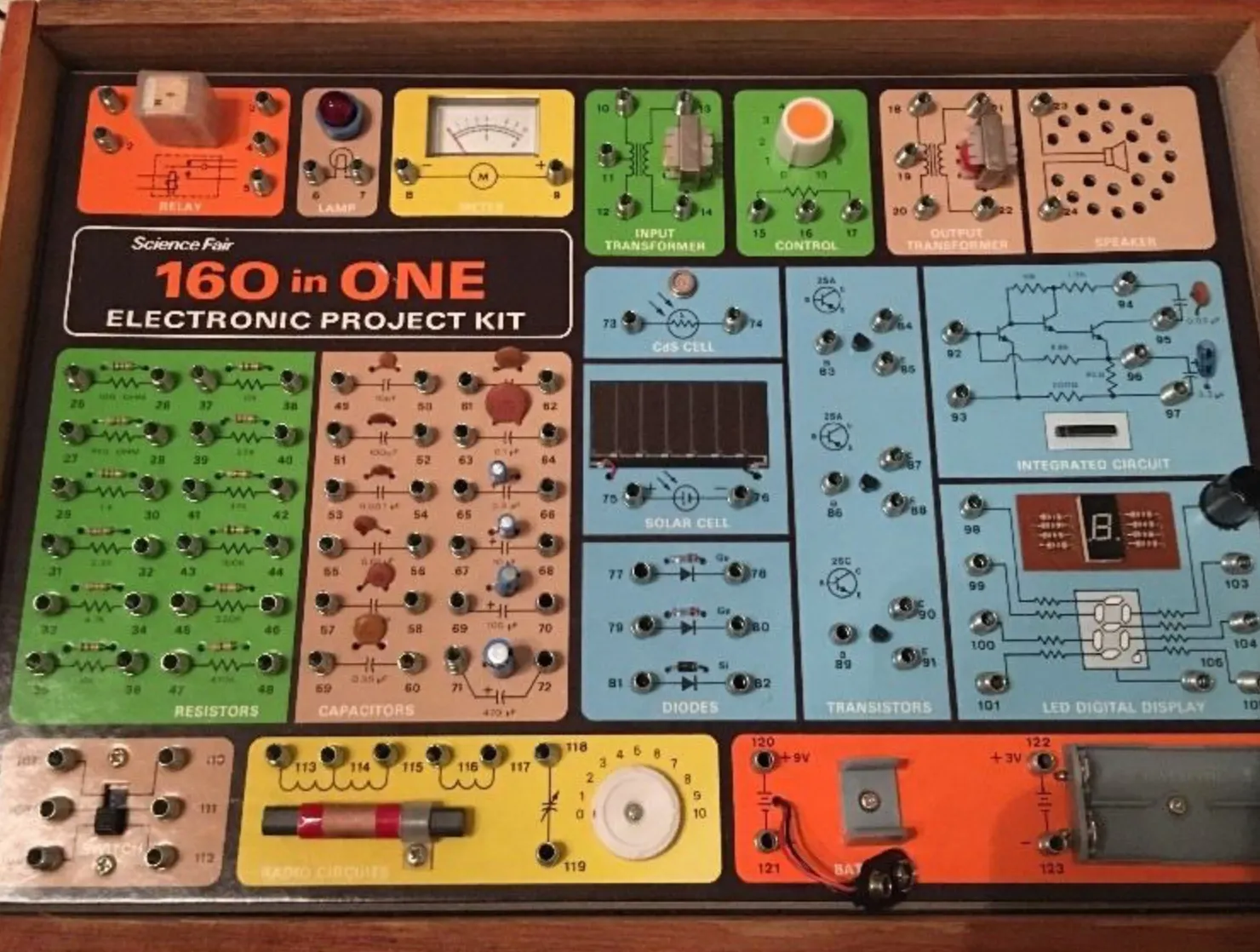
I made an AM transmitter and pretended to have a radio show. It was a lot of fun.
Imagine this concept, but for web apps:
---
## AudioUpload
URL: https://darkwavejs.com/docs/components/audioupload
Audio file upload component with metadata extraction.
## Usage
```astro
```
## Database Fields
The component stores audio metadata using a column prefix. Required fields:
| Field | Description |
|-------|-------------|
| `{prefix}_url` | Audio file URL |
| `{prefix}_length` | File size in bytes |
| `{prefix}_mime` | MIME type |
| `{prefix}_duration` | Duration in seconds |
For example, with `name="audio"`, your table needs:
- `audio_url`
- `audio_length`
- `audio_mime`
- `audio_duration`
---
## CheckboxGroup
URL: https://darkwavejs.com/docs/components/checkboxgroup
Multiple checkbox selection component.
## Usage
```astro
```
## Props
| Prop | Type | Description |
|------|------|-------------|
| `label` | string | Group label text |
| `name` | string | Input name attribute |
| `options` | array | Array of `{ value, label }` objects |
| `value` | array | Array of selected values |
---
## DatePicker
URL: https://darkwavejs.com/docs/components/datepicker
Date and time selection component using [Flatpickr](https://flatpickr.js.org/).
## Basic Usage
```astro
```
## Date and Time
```astro
```
## Date Range
```astro
```
## With Constraints
```astro
```
## Props
| Prop | Type | Description |
|------|------|-------------|
| `label` | string | Input label text |
| `name` | string | Input name attribute |
| `dateFormat` | string | Date format for value |
| `altInput` | boolean | Show friendly display format |
| `altFormat` | string | Display format |
| `enableTime` | boolean | Enable time selection |
| `mode` | string | `single`, `range`, or `multiple` |
| `minDate` | string | Minimum selectable date |
| `maxDate` | string | Maximum selectable date |
| `inline` | boolean | Show inline calendar |
| `weekNumbers` | boolean | Show week numbers |
---
## FullscreenSpinner
URL: https://darkwavejs.com/docs/components/fulscreenspinner
Full-screen loading indicator overlay.
## Usage
```astro
```
## Props
| Prop | Type | Description |
|------|------|-------------|
| `visible` | boolean | Whether spinner is visible |
| `text` | string | Optional loading text |
---
## GenericCard
URL: https://darkwavejs.com/docs/components/genericcard
Card container component for content grouping.
## Usage
```astro
Card Title
Card content goes here.
```
## With Header and Footer
```astro
Action}
>
Card content goes here.
```
## Props
| Prop | Type | Description |
|------|------|-------------|
| `title` | string | Card header title |
| `footer` | node | Footer content |
| `className` | string | Additional CSS classes |
---
## InputText
URL: https://darkwavejs.com/docs/components/inputtext
Text input component with validation support.
## Usage
```astro
```
## Props
| Prop | Type | Description |
|------|------|-------------|
| `label` | string | Input label text |
| `name` | string | Input name attribute |
| `type` | string | Input type (text, email, password, etc.) |
| `placeholder` | string | Placeholder text |
| `required` | boolean | Whether input is required |
| `value` | string | Default value |
---
## Label
URL: https://darkwavejs.com/docs/components/label
Form label component with optional popover support.
Most form components include a basic label. Use this component when you need additional features like popovers or custom styling.
## Usage
```astro
```
## Props
| Prop | Type | Description |
|------|------|-------------|
| `text` | string | Label text |
| `for` | string | ID of associated input |
| `required` | boolean | Show required indicator |
| `popover` | string | Popover help text |
---
## PhotoCropper
URL: https://darkwavejs.com/docs/components/photocropper
Image cropping utility component using [Cropper.js](https://fengyuanchen.github.io/cropperjs/).
## Usage
```astro
```
## Props
| Prop | Type | Description |
|------|------|-------------|
| `image` | string | Image URL to crop |
| `aspectRatio` | number | Crop aspect ratio (1 = square) |
| `onCrop` | function | Callback with cropped image data |
---
## PhotoUploadGallery
URL: https://darkwavejs.com/docs/components/photouploadgallery
Multiple image upload component with drag-and-drop reordering.
## Usage
```astro
```
## With Compression
```astro
```
## Props
| Prop | Type | Description |
|------|------|-------------|
| `label` | string | Upload label text |
| `name` | string | Field name for form data |
| `endpoint` | string | Upload API endpoint |
| `maxFiles` | number | Maximum number of files |
| `value` | array | Existing image URLs |
| `compression` | object | Compression settings |
---
## PhotoUploadSingle
URL: https://darkwavejs.com/docs/components/photouploadsingle
Single image upload component with optional cropping and compression.
## Usage
```astro
```
## With Compression
```astro
```
## Props
| Prop | Type | Description |
|------|------|-------------|
| `label` | string | Upload label text |
| `name` | string | Field name for form data |
| `endpoint` | string | Upload API endpoint |
| `value` | string | Existing image URL |
| `compression` | object | Compression settings |
| `compression.format` | string | Output format (webp, jpeg, png) |
| `compression.size` | number | Max dimension in pixels |
| `compression.quality` | number | Quality (1-100) |
---
## ResponsiveImage
URL: https://darkwavejs.com/docs/components/responsiveimage
Optimized responsive image component.
## Usage
```astro
```
## Props
| Prop | Type | Description |
|------|------|-------------|
| `src` | string | Image source URL |
| `alt` | string | Alt text |
| `width` | number | Image width |
| `height` | number | Image height |
| `loading` | string | Loading strategy (lazy, eager) |
---
## TableDatalist
URL: https://darkwavejs.com/docs/components/tabledatalist
Data table component for admin interfaces.
## Usage
```astro
```
## Props
| Prop | Type | Description |
|------|------|-------------|
| `columns` | array | Column definitions |
| `data` | array | Row data |
| `sortable` | boolean | Enable column sorting |
| `searchable` | boolean | Enable search |
---
## Select
URL: https://darkwavejs.com/docs/components/select
Dropdown selection component.
## Usage
```astro
```
## Props
| Prop | Type | Description |
|------|------|-------------|
| `label` | string | Select label text |
| `name` | string | Select name attribute |
| `options` | array | Array of `{ value, label }` objects |
| `required` | boolean | Whether selection is required |
| `value` | string | Default selected value |
---
## Textarea
URL: https://darkwavejs.com/docs/components/textarea
Multi-line text input component.
## Usage
```astro
```
## Props
| Prop | Type | Description |
|------|------|-------------|
| `label` | string | Input label text |
| `name` | string | Input name attribute |
| `placeholder` | string | Placeholder text |
| `rows` | number | Number of visible rows |
| `required` | boolean | Whether input is required |
| `value` | string | Default value |
---
## Admin App
URL: https://darkwavejs.com/docs/components/admin
The admin app is a pre-configured back office application you can extend and modify.
## What It Is
Not a CMS, but a starting point for building database-driven admin interfaces. Build custom content editors that correlate with front-end functionality.
Think of it as WordPress for web apps - an extensible admin foundation that you build on.
## Features
- Pre-built authentication
- User management
- Extensible structure
- CRUD collection patterns
## Collections
Full-stack forms and components for CRUD operations on specific tables with space for customizations. Handles the basic data lifecycle that covers most use cases.
## Philosophy
Right mix of structure and flexibility:
- **Structure**: Pre-built auth, admin shell, component library
- **Freedom**: Build whatever you need for your client's custom requirements
---
## Toggle
URL: https://darkwavejs.com/docs/components/toggle
Boolean switch component.
## Usage
```astro
```
## Props
| Prop | Type | Description |
|------|------|-------------|
| `label` | string | Toggle label text |
| `name` | string | Input name attribute |
| `checked` | boolean | Whether toggle is on |
---
## Alert / Dialog
URL: https://darkwavejs.com/docs/components/alert
JavaScript alert and dialog system.
## Setup
Import the alert script in your page:
```astro
```
## Basic Alert
```javascript
window.showAlert({
type: "success",
variant: "soft",
title: "Success",
text: "Operation completed successfully!",
icon: true,
duration: 3000,
});
```
## Confirmation Dialog
```javascript
window.showAlert({
type: "warning",
variant: "soft",
title: "Are you sure?",
text: "This action cannot be undone.",
icon: true,
buttons: [
{
text: "Cancel",
variant: "outline",
size: "sm",
type: "warning",
},
{
text: "Confirm",
variant: "solid",
size: "sm",
type: "warning",
onClick: () => {
// Handle confirmation
},
},
],
});
```
## Options
| Option | Type | Description |
|--------|------|-------------|
| `type` | string | Alert type (success, error, warning, info) |
| `variant` | string | Style variant (soft, solid) |
| `title` | string | Alert title |
| `text` | string | Alert message |
| `icon` | boolean | Show type icon |
| `duration` | number | Auto-dismiss in milliseconds |
| `position` | object | `{ vertical, horizontal }` |
| `buttons` | array | Button configurations |
## Button Options
| Option | Type | Description |
|--------|------|-------------|
| `text` | string | Button text |
| `variant` | string | Style (solid, outline, soft) |
| `size` | string | Size (sm, md, lg) |
| `type` | string | Color type |
| `icon` | string | Icon class |
| `onClick` | function | Click handler |
---
## Dropdown
URL: https://darkwavejs.com/docs/components/dropdown
Dropdown menu component.
## Usage
```astro
```
This is a pattern using FlyonUI classes rather than a standalone component.
---
## Form Validation
URL: https://darkwavejs.com/docs/components/form-validation
Form components include built-in validation that runs on submit.
## How It Works
Add the `required` attribute to make fields mandatory. The form won't submit until all required fields are filled.
```astro
```
## Validation Behavior
1. On submit, all required fields are checked
2. Invalid fields show error messages
3. Form only submits when all validations pass
See [Input Validation](/components/input-validation/) for field-level validation rules.
---
## Helpers
URL: https://darkwavejs.com/docs/components/helpers
TypeScript utility functions for frontend and backend operations.
## Available Helpers
Shared utilities in `@/lib/` for common operations:
- Date formatting
- String manipulation
- Data validation
- API request helpers
- CRUD abstractions
## Usage
```typescript
import { formatDate, slugify } from "@/lib/helpers";
const date = formatDate(new Date());
const slug = slugify("My Article Title");
```
See the source code in `src/lib/` for available functions.
---
## Components
URL: https://darkwavejs.com/docs/components
DW includes a set of UI components for building forms and common interface elements. These are Astro wrappers around shadcn/ui components, designed to integrate seamlessly with DW's backend.
We've designed a "normalized" pattern/api for components, so if you ever want to use a different component lib or whatever, you can modify these to your heart's content.
{/* copy-paste component examples for specific functionality (not only our stuff) */}
## Form Components
- **InputText** - Text input with validation support
- **Textarea** - Multi-line text input
- **Select** - Dropdown selection
- **CheckboxGroup** - Multiple checkbox options
- **Toggle** - Boolean switch
- **DatePicker** - Date/time selection (Flatpickr)
- **Label** - Form labels with optional popovers
## Button Components
- **ButtonSubmit** - Form submission with loading states
- **ButtonDelete** - Delete confirmation with dialog
- **ButtonLink** - Styled anchor links
## Photo Components
- **PhotoUploadSingle** - Single image upload with cropping
- **PhotoUploadGallery** - Multiple image uploads
- **PhotoCropper** - Image cropping utility
## UI Components
- **Alert** - Notifications and dialogs
- **Modal** - Dialog overlays
- **GenericCard** - Card container
- **FullscreenSpinner** - Loading indicator
- **ResponsiveImage** - Optimized images
- **TableDatalist** - Data tables
## Scripts
- **validate-input** - Input validation
- **validate-form** - Form validation
## Backend
- **Helpers** - TypeScript utility functions
- **SendEmail** - Email sending utilities
## shadcn/ui Base
DW components wrap these shadcn/ui primitives:
- [Checkbox](https://ui.shadcn.com/docs/components/checkbox)
- [Input](https://ui.shadcn.com/docs/components/input)
- [Label](https://ui.shadcn.com/docs/components/label)
- [Select](https://ui.shadcn.com/docs/components/select)
- [Switch](https://ui.shadcn.com/docs/components/switch)
- [Textarea](https://ui.shadcn.com/docs/components/textarea)
- [Alert Dialog](https://ui.shadcn.com/docs/components/alert-dialog)
- [Button](https://ui.shadcn.com/docs/components/button)
- [Card](https://ui.shadcn.com/docs/components/card)
---
## Input Validation
URL: https://darkwavejs.com/docs/components/input-validation
Field-level validation with real-time feedback.
## Basic Validation
```astro
```
## Multiple Rules
```astro
```
## Unique Validation
Check if a value already exists in the database:
```astro
```
## Validation Types
Common validation types:
- `email` - Valid email format
- `mobilePhone` - Phone number
- `strongPassword` - Password strength
- `alphanumeric` - Letters and numbers only
- `alphanumericWithSpaces` - Letters, numbers, and spaces
- `simpleUsername` - Letters, numbers, hyphens, underscores
- `number` - Numeric with optional min/max
## Number Validation
```astro
```
## Password Validation
```astro
```
## Success Messages
Show feedback when validation passes:
```astro
validation={{ success: { message: "Looks good!" } }}
validation={{ success: true }}
```
---
## Kitchen Sink
URL: https://darkwavejs.com/docs/components/kitchen-sink
A component catalog showing all DW components in one place.
## Purpose
Visual reference for all available components and their configurations. Useful for:
- Seeing all components at a glance
- Testing theme colors and styles
- Copy/paste reference implementations
## Components Included
- Form inputs (text, select, checkbox, toggle)
- Buttons (submit, delete, link)
- Photo uploads (single, gallery, cropper)
- UI elements (alerts, modals, cards)
- Data display (tables, lists)
## See Also
- [FlyonUI Components](https://flyonui.com/docs/component/) - Base component library
- [shadcn/ui](https://ui.shadcn.com/docs/components) - React component primitives
---
## Modal
URL: https://darkwavejs.com/docs/components/modal
Modal dialog overlay pattern using FlyonUI classes.
## Usage
```astro
Modal Title
Modal content goes here.
```
This is a pattern using FlyonUI classes rather than a standalone component.
---
## Photo Uploader
URL: https://darkwavejs.com/docs/components/photo-upload
Photo uploads made easy. Works with cloud image providers (Cloudflare R2, Bunny.net) or local storage.
## Database Fields
Add these fields to your table for photo uploads:
- `photo_url` - Image URL
- `photo_url_parameters` - Processing parameters
## Single Photo Upload
```astro
```
## Props
| Prop | Type | Description |
|------|------|-------------|
| `related_id` | string | ID of the parent record |
| `related_table` | string | Database table name |
| `related_column` | string | Column prefix for URL fields |
| `url` | string | Existing image URL |
| `url_parameters` | string | Existing parameters |
| `upload_path` | string | Storage path prefix |
| `file_limit_size` | number | Max file size in MB |
| `file_formats` | string | Allowed MIME types |
| `dz_icon` | string | Dropzone icon class |
## See Also
- [PhotoUploadSingle](/components/photouploadsingle/) - Single image component
- [PhotoUploadGallery](/components/photouploadgallery/) - Multiple images component
---
## SendEmail
URL: https://darkwavejs.com/docs/components/send-email
Backend TypeScript function for sending emails via SMTP.
## Basic Usage
```typescript
import { sendEmail } from "@/lib/dw-email";
const result = await sendEmail({
to: "user@example.com",
from: `${import.meta.env.SITE_TITLE} <${import.meta.env.SMTP_USER}>`,
subject: "Welcome",
message: {
template: "@/email-templates/welcome",
data: {
name: "User",
siteName: import.meta.env.SITE_TITLE,
},
},
});
```
## Text Only
```typescript
const result = await sendEmail({
to: "user@example.com",
from: `${import.meta.env.SITE_TITLE} <${import.meta.env.SMTP_USER}>`,
subject: "Notification",
message: {
text: "Plain text message content",
},
});
```
## HTML Only
```typescript
const result = await sendEmail({
to: "user@example.com",
from: `${import.meta.env.SITE_TITLE} <${import.meta.env.SMTP_USER}>`,
subject: "Notification",
message: {
html: "
HTML message content
",
text: "Fallback plain text",
},
});
```
## Multiple Recipients
```typescript
const result = await sendEmail({
to: ["user1@example.com", "user2@example.com"],
cc: ["cc@example.com"],
bcc: "bcc@example.com",
replyTo: "reply@example.com",
from: `${import.meta.env.SITE_TITLE} <${import.meta.env.SMTP_USER}>`,
subject: "Team Update",
message: {
template: "@/email-templates/update",
data: { /* ... */ },
},
});
```
## Options
| Option | Type | Description |
|--------|------|-------------|
| `to` | string \| array | Recipient email(s) |
| `from` | string | Sender address |
| `subject` | string | Email subject |
| `message` | object | Message content |
| `cc` | string \| array | CC recipients |
| `bcc` | string \| array | BCC recipients |
| `replyTo` | string | Reply-to address |
---
## ValidateForm
URL: https://darkwavejs.com/docs/components/validate-form
Form validation script for checking all fields before submission.
## Usage
The script is automatically included with ButtonSubmit. It validates all required fields when the form is submitted.
```astro
```
## How It Works
1. Intercepts form submission
2. Checks all fields with `required` attribute
3. Runs any field-level validation rules
4. Prevents submission if any validation fails
5. Shows error messages on invalid fields
---
## ValidateInput
URL: https://darkwavejs.com/docs/components/validate-input
Input validation script providing real-time field validation.
## Usage
Validation is built into input components. Add a `validation` prop to enable:
```astro
```
## Features
- Real-time validation on blur/change
- Debounced validation for performance
- Success and error states
- Custom error messages
- Unique value checking via API
See [Input Validation](/components/input-validation/) for full documentation.
---
## Architecture
URL: https://darkwavejs.com/docs/getting-started/architecture
## Project Structure
```
src/
├── components/ # Reusable UI components
│ ├── admin/ # Admin components
│ ├── forms/ # Form-related components
│ └── ui/ # General UI components
├── config/ # Application configuration
├── email-templates/ # Email templates
├── layouts/ # Page layouts
├── lib/ # Shared utilities and helpers
├── middleware/ # Request middleware
├── pages/ # Application routes & templates
├── styles/ # Tailwind integration, base component styles
```
## Core Concepts
### Middleware
Request processing and authentication handling.
### App Config
Centralized application configuration in `src/config/`.
### Schema & Migrations
Database schema definitions and Kysely migrations.
### Auth + RBAC
Better-Auth integration with role-based access control.
### CRUD Helper
Abstraction layer for common database operations.
## Design Philosophy
Modular, interconnected full-stack components built on a reasonable spec. Architectural decisions that minimize technical debt.
---
## Configuring Services
URL: https://darkwavejs.com/docs/getting-started/configuring
DW works with various external services for storage, email, and authentication.
## Cloudflare R2 (File Storage)
1. Create an R2 bucket with a custom domain
2. Generate API tokens from the R2 buckets page
3. Add to `.env`:
```txt
S3_KEY="your-access-key"
S3_SECRET="your-secret-key"
S3_BUCKET="your-bucket-name"
S3_ENDPOINT="https://your-account-id.r2.cloudflarestorage.com"
S3_DOMAIN="https://media.yourdomain.com"
```
## Email (SMTP)
Configure your SMTP provider credentials in `.env`. Works with services like Mailgun, Resend, or any SMTP provider.
## OAuth (Google)
Set up Google OAuth credentials for social login. See the [Better-Auth documentation](https://www.better-auth.com/docs/authentication/social-sign-in) for setup instructions.
---
## Installation
URL: https://darkwavejs.com/docs/getting-started
## Requirements
- Node.js (check [Astro's requirements](https://docs.astro.build/en/install-and-setup/))
- MySQL 8.0 (locally via DBngin, Herd, MAMP, or similar)
## Quick Start
Clone the repository:
```bash frame="none"
npx degit jyoungblood/darkwave my-project
cd my-project
```
Install dependencies:
```bash frame="none"
npm install
```
## Configuration
Set up your services before continuing:
- Create a MySQL database (MySQL 8, utf8mb4 charset)
- Set up an SMTP account for email
Configure environment variables:
```bash frame="none"
mv .env.example .env
```
Generate a [Better-Auth secret](https://www.better-auth.com/docs/installation):
```bash frame="none"
openssl rand -base64 32
```
Add the generated secret and your database/SMTP credentials to `.env`.
## Initialize
Run the database initialization:
```bash frame="none"
npm run init
```
Start the development server:
```bash frame="none"
npm run dev
```
## Maintenance
After installation, you may need to update dependencies:
```bash frame="none"
npm audit --fix
npx @astrojs/upgrade
```
Follow any upgrade instructions that appear when running `npm run dev` or `npm run build`.
---
## CLI
URL: https://darkwavejs.com/docs/workflow/cli
DW includes several npm scripts for common tasks.
## Available Commands
```bash
# Development
npm run dev # Start development server
# Build
npm run build # Build for production
# Database
npm run init # Initialize database (first time setup)
npm run migrate # Run database migrations
```
## Astro Commands
All standard Astro CLI commands are available:
```bash
npx astro check # Type-check your project
npx astro preview # Preview production build locally
```
---
## Using Darkwave
URL: https://darkwavejs.com/docs/workflow
Just have fun and be yourself.
DW provides a streamlined development workflow. The core loop is simple:
1. Write your code
2. Test locally with `npm run dev`
3. Build and deploy
See the other pages in this section for details on CLI commands, deployment, and troubleshooting.
---
## Deployment
URL: https://darkwavejs.com/docs/workflow/deployment
Deploy wherever you want:
- **Platform services**: Railway, Render, Vercel, Fly.io
- **VPS**: Any server with SSH and Node.js
## Platform Deployment
Services like Railway and Render make deployment trivial. Connect your Git repo and push. Follow their Astro SSR deployment guides.
## VPS Deployment
For those who prefer running on a private VPS with SSH access, here's how to set up with PM2.
### Prerequisites
On your server:
1. SSH access as a non-root user
2. Node.js via nvm
3. PM2 process manager
```bash
# Install nvm
curl -o- https://raw.githubusercontent.com/nvm-sh/nvm/v0.40.3/install.sh | bash
# Install PM2
npm install pm2 -g
```
### PM2 Configuration
Create `ecosystem.config.cjs` in your project:
```js
module.exports = {
apps: [
{
name: "myapp",
cwd: "/home/myuser/myapp",
script: "dist/server/entry.mjs",
instances: 1,
exec_mode: "fork",
watch: false,
interpreter: "/home/myuser/.nvm/versions/node/v20.19.4/bin/node",
env: {
NODE_ENV: "production",
HOST: "127.0.0.1",
PORT: "3000",
},
max_memory_restart: "1G",
error_file: "logs/error.log",
out_file: "logs/out.log",
log_file: "logs/combined.log",
time: true,
},
],
};
```
### Initial Setup
```bash
# Clone and build
git clone your-repo
cd your-repo
npm install
npm run build
# Add production .env
# Start with PM2
pm2 start ecosystem.config.cjs
pm2 save
```
### PM2 Startup (Auto-restart on Reboot)
```bash
pm2 startup
# Run the command it outputs as root
pm2 save
```
### Apache .htaccess Proxy
If using Apache, add to your document root:
```apache
DirectoryIndex disabled
RewriteEngine On
RewriteCond %{HTTPS} off
RewriteRule ^(.*)$ https://%{HTTP_HOST}%{REQUEST_URI} [L,R=301]
RequestHeader set X-Forwarded-Host "%{HTTP_HOST}e"
RewriteRule ^/?(.*)$ http://localhost:3000/$1 [P,L]
```
## Deploy Script
Create a `deploy.sh` script for easy deployments:
```bash
#!/bin/bash
GIT_BRANCH="main"
COMMIT_MESSAGE="Updates - $(date +"%Y-%m-%d %T")"
SSH_USER="myuser"
SSH_SERVER="myserver.com"
SSH_PORT="22"
DEPLOYMENT_PATH="/home/myuser/myapp"
PM2_APP_NAME="myapp"
git add --all
echo "Enter Git commit message (default: $COMMIT_MESSAGE)"
read NEW_MESSAGE
[ -n "$NEW_MESSAGE" ] && COMMIT_MESSAGE=$NEW_MESSAGE
git commit -am "$COMMIT_MESSAGE"
git push origin $GIT_BRANCH
ssh $SSH_USER@$SSH_SERVER -p $SSH_PORT -t "cd $DEPLOYMENT_PATH && git pull origin $GIT_BRANCH && npm install && npm run build && npm run migrate && pm2 reload $PM2_APP_NAME"
exit
```
Make it executable and add to `.gitignore`:
```bash
touch deploy.sh
chmod +x deploy.sh
echo "/deploy.sh" >> .gitignore
```
## Monitoring Script
For quick access to PM2 logs:
```bash
#!/bin/bash
SSH_USER="myuser"
SSH_SERVER="myserver.com"
SSH_PORT="22"
ssh $SSH_USER@$SSH_SERVER -p $SSH_PORT -t "pm2 logs"
```
## Recovery
If the app goes offline:
```bash
cd /path/to/your/app
pm2 start ecosystem.config.cjs
pm2 save
```
---
## Troubleshooting
URL: https://darkwavejs.com/docs/workflow/troubleshooting
Common problems and how to address them.
## Dependency Updates
You may periodically need to run updates:
```bash
npm audit --fix
npm install kysely@latest
npx @astrojs/upgrade
```
If you're not familiar with JS development, this can seem overwhelming. This is normal. Don't be alarmed.
## Common Issues
### Build Errors
If `npm run build` fails:
1. Check for TypeScript errors with `npx astro check`
2. Ensure all dependencies are installed with `npm install`
3. Check that your `.env` file has all required variables
### Database Connection
If the app can't connect to the database:
1. Verify your database credentials in `.env`
2. Make sure MySQL is running
3. Check that the database exists and the user has proper permissions
### Auth Issues
If authentication isn't working:
1. Verify `BETTER_AUTH_SECRET` is set in `.env`
2. Check that the auth tables were created with `npm run init`
3. For OAuth, ensure your provider credentials are configured correctly
---
## LLM Ergonomics
URL: https://darkwavejs.com/docs/getting-started/llms
DW is built to be easy for both humans and LLMs to understand.
## Why It Works
- **TypeScript** - LLMs excel at writing and understanding TypeScript
- **Clear organization** - Intuitive file structure with predictable patterns
- **Helpful context** - Database schemas and type definitions provide rich context
## AI-Assisted Development
The combination of Claude/Cursor + Astro + Tailwind enables incredibly fast development. You can write apps with this stack remarkably quickly using AI assistance.
## Best Practices
- Clear and predictable patterns using proven technology
- Nothing too clever - reliability over cleverness
- Efficient and maintainable code that both humans and AI can work with
Develop according to DW's conventions and you'll have a codebase that's easy to extend with AI assistance while remaining fully understandable to human developers.
---
# Field Guide
## Astro Patterns
URL: https://darkwavejs.com/fieldguide/astro
Common Astro patterns and snippets for DW development.
## Conditional Rendering
Edit vs new form pattern:
```astro
{(item && item.uuid ? (
// Edit form content
Edit {item.title}
) : (
// New form content
Create New
))}
```
## Dynamic Imports
```astro
---
const { slug } = Astro.params;
const item = await db.selectFrom('items').where('slug', '=', slug).executeTakeFirst();
---
```
## Form Handling
```astro
---
if (Astro.request.method === 'POST') {
const formData = await Astro.request.formData();
// Handle form submission
}
---
```
---
## Authentication
URL: https://darkwavejs.com/fieldguide/auth
DW uses [Better-Auth](https://www.better-auth.com/) for authentication and authorization. Middleware, login/registration flows, and RBAC utilities are pre-configured.
## Configuration
Auth roles are defined in `src/config/auth.ts`. Modify this file to add or change roles.
## Adding a New Collection
When adding a new database collection that needs auth:
1. Create the migration
2. Update the schema in `src/config/schema.ts`
3. Add auth roles in `src/config/auth.ts`
4. Configure ownership rules
## RBAC Patterns
### Simple Ownership
User owns their own content directly:
```typescript
{
collection: 'posts',
ownership: 'direct',
field: 'user_id'
}
```
### Complex Ownership
Content owned through relationships (teams, organizations):
```typescript
{
collection: 'team_posts',
ownership: 'relationship',
// Custom ownership check logic
}
```
## OAuth Setup
For social login providers, you'll need to:
1. Create an app in the provider's developer console
2. Get client ID and secret
3. Add credentials to `.env`
4. Configure the provider in Better-Auth
## 2FA
Two-factor authentication is available via Better-Auth. Requires additional forms and flows - see the Better-Auth documentation.
---
## CORS for R2/S3 Buckets
URL: https://darkwavejs.com/fieldguide/cors-buckets
CORS configuration for direct uploads to cloud storage.
## When You Need This
If you're using the `audioUpload` or other file upload components with `directUpload={true}`, your bucket needs CORS rules configured.
## R2 CORS Configuration
```json
[
{
"AllowedOrigins": ["*"],
"AllowedMethods": ["GET", "HEAD"],
"AllowedHeaders": ["*"],
"ExposeHeaders": ["ETag"],
"MaxAgeSeconds": 3600
},
{
"AllowedOrigins": [
"http://localhost:4321",
"http://localhost:3000",
"https://yourdomain.com",
"https://www.yourdomain.com"
],
"AllowedMethods": ["PUT", "POST", "DELETE"],
"AllowedHeaders": ["*"],
"ExposeHeaders": ["ETag"],
"MaxAgeSeconds": 3600
}
]
```
## Before Deploying
Remove localhost origins from the PUT/POST/DELETE rule before going to production. Only keep your actual domains.
---
## CORS
URL: https://darkwavejs.com/fieldguide/cors
Cross-Origin Resource Sharing configuration.
## Default Setting
CORS is disabled by default in DW:
```js
// astro.config.mjs
security: {
checkOrigin: false,
},
```
## Enabling CORS
If you need CORS protection, follow the [Astro security configuration guide](https://docs.astro.build/en/reference/configuration-reference/#security).
## When to Enable
Consider enabling CORS if:
- Your API is accessed from different domains
- You need to restrict which origins can make requests
- You're building a public API
For internal applications on a single domain, the default setting is fine.
---
## Email Templates
URL: https://darkwavejs.com/fieldguide/email-templates
Resources for building transactional and notification emails.
## Template Types
Common email templates you might need:
- **Transactional**: Order confirmations, receipts
- **Notifications**: Activity updates, alerts
- **Authentication**: Password reset, email verification
- **Marketing**: Newsletters, announcements
## Preview Text
Add hidden preview text that appears in email clients:
```html
Preview text goes here
```
See [Litmus's guide on preview text](https://www.litmus.com/blog/the-little-known-preview-text-hack-you-may-want-to-use-in-every-email) for the full technique.
## Email Editors
Visual editors for creating email templates:
- [Mailo](https://mailo.app/) - Quick email design tool
- [Maily](https://maily.to/) - Open-source email editor
## Resources
- Check `src/emails/` in DW for template examples
- Test emails with [Litmus](https://litmus.com/) or [Email on Acid](https://www.emailonacid.com/)
---
## Favicons
URL: https://darkwavejs.com/fieldguide/favicons
Generate favicons using [astro-favicons](https://github.com/ACP-CODE/astro-favicons).
## Installation
```bash
npx astro add astro-favicons
```
## Usage
The integration automatically generates all favicon variants from a single source image. Place your source icon in the configured location and the integration handles the rest.
See the [astro-favicons documentation](https://github.com/ACP-CODE/astro-favicons) for configuration options.
---
## External Resources
URL: https://darkwavejs.com/fieldguide/external-resources
{/* it's just links, titles, & comments...maybe tags too */}
{/* an organized (tagged, easily searchable) directory of all this with descriptions/remarks from me/us about why it's the best/pragmatic choice */}
Some things we've found helpful in the development process.
## Tailwind Resources
### Tailwind Pagebuilers
- https://devdojo.com/tails
- https://tailwind.build/
- ?? https://versoly.com/tailwind-page-builder
- ?? https://www.loopple.com/low-code-builder/tailwind
- ?? https://www.subframe.com/ (react 🤮)
- https://windframe.dev/
- dw resources - tw + alpine components - https://oxbowui.com/
### Tailwind Misc
- also, hot tip: https://usewindy.com/
- "simply hover over any element on any website and instantly see the Tailwind CSS classes. "
- it converts any css on any website to the tailwind equivalent, which you can paste into your code
- [ ] TW colors! - [https://tailwindcss.com/docs/colors](https://tailwindcss.com/docs/colors "smartCard-inline")
- [ ] OMG tw color generator - [https://kigen.design/color](https://kigen.design/color "smartCard-inline")
- [ ] TW gradient generator - [https://www.creative-tim.com/twcomponents/gradient-generator](https://www.creative-tim.com/twcomponents/gradient-generator "")
## Components
### Tailwind components
- https://www.penguinui.com/
- [https://devdojo.com/pines](https://devdojo.com/pines) - alpine + tw
- [https://www.hyperui.dev/](https://www.hyperui.dev/) - tw
- [https://component-party.dev/](https://component-party.dev/) - alpine
- [https://js.hyperui.dev/](https://js.hyperui.dev/) - alpine
- [https://alpinejs.dev/components](https://alpinejs.dev/components) - alpine
- [https://windstatic.com/](https://windstatic.com/) - alpine + tw
- https://www.wickedblocks.dev/
### Misc components
- component inspo - https://www.goodcomponents.io/
- components & design systems inspo - https://component.gallery/design-systems/
- untitled ui - https://www.untitledui.com/react/components
- not specific to our stack, and we're not using them by default
- but there's no reason why you can't
- https://react-aria.adobe.com/ - Craft world-class accessible components with custom styles.
- sacred ui? cool if you're into the monospace look - https://www.sacred.computer/ / https://github.com/internet-development/www-sacred
- dw components - you could use shoelace - https://shoelace.style/components/carousel
- related - vanilla web components - curated list of awesome framework-agnostic standalone web components - [https://github.com/davatron5000/awesome-standalones#element-extensions](https://github.com/davatron5000/awesome-standalones#element-extensions)
## Shadcn
- shadcn - tailwind colors in every format - https://ui.shadcn.com/colors
- [https://www.shadcnblocks.com/](https://www.shadcnblocks.com/ "smartCard-inline")
- ?? shadcn/create - "npx shadcn create." - https://x.com/shadcn/status/1999530406744293593
- https://ui.shadcn.com/docs/installation/astro
- 🙄 https://www.youtube.com/watch?v=oZ2z5RVcCSs
- https://astro.build/themes/details/astro-shadcn-ui-template/
- https://github.com/AREA44/astro-shadcn-ui-template
- https://astro.build/themes/details/astro-shadcn-ui-template/
- https://www.reddit.com/r/astrojs/comments/1gdx9qy/install_shadcnui_with_astrojs_perfect_for_ai_astro/
- https://astro-tips.dev/tips/shadcn/
- want to effortlessly pull in stuff like this, for example - https://animateicons.vercel.app/
- check the astro shadcn starter - https://astro.build/themes/details/astro-x-shadcn-minimal-theme/
- shad blocks & templates - https://shadcnstudio.com/
- ?? shad directories/registries? - https://ui.shadcn.com/docs/directory
- shad customizer - https://ui.shadcn.com/create
- https://tweakcn.com/
- shad blocks - https://www.shadcnui-blocks.com/
- https://ui.shadcn.com/docs/theming
- https://shoogle.dev/
- https://reui.io/
- 10 Tools to Make Your Shadcn Apps Beautiful ✨ https://www.youtube.com/watch?v=udfFLIx_ITc
- maps for shadcn themes - https://mapcn.vercel.app/
- https://x.com/sainianmol16/status/2006783001494171790
- https://mapcn.vercel.app/docs/routes
- https://shadcnstudio.com/blog
- https://www.shadcnblocks.com/blocks **
- https://blocks.so/
- https://www.shadcn.io/
- https://github.com/birobirobiro/awesome-shadcn-ui **
- https://shadcn.batchtool.com/
- https://magicui.design/ - fancy components on top of shad
## Color Tools
- color & font tools - https://www.colorsandfonts.com/
- open color is a nice collection of colors - [https://yeun.github.io/open-color/](https://yeun.github.io/open-color/)
- css colors - [http://davidbau.com/colors/](http://davidbau.com/colors/)
- InclusiveColors accessible palette creator - https://www.inclusivecolors.com/
- radix https://www.radix-ui.com/colors
- https://www.radix-ui.com/themes/docs/theme/color
- https://radix-colors-tailwind-config.vercel.app/
- https://www.colorsandfonts.com/color-systems/radix-dark-color-system
## Font Tools
- modern system font stacks - [https://modernfontstacks.com/ ](https://modernfontstacks.com/)**
## Icons
- or radix icons [https://icons.radix-ui.com/](https://icons.radix-ui.com/)
- or react icons? - [https://react-icons.github.io/react-icons/](https://react-icons.github.io/react-icons/) (search every icon set, can we just use the svgs?)
- carefully designed icons - [https://www.mingcute.com/](https://www.mingcute.com/)
- hero icons - [https://heroicons.com/](https://heroicons.com/)
- largest collection of icon sets - [https://www.streamlinehq.com/icons/streamline-regular](https://www.streamlinehq.com/icons/streamline-regular)
- Beautiful & consistent icon toolkit made by the community. - Open-source project and a fork of Feather Icons. - [https://lucide.dev/](https://lucide.dev/)
- or font awesome fuck it - [https://cdnjs.com/libraries/font-awesome](https://cdnjs.com/libraries/font-awesome)
## Misc Dev Resources
- https://html-first.com/resources
- https://unsuckjs.com/
- resources for learning - cool evil tutorials & examples of what NOT to do https://htmhell.dev/
- if you're missing anything basic, check out stdlib - https://stdlib.io/
- blank.gif replacement - [https://www.phpied.com/minimum-viable-no-image-image-src/](https://www.phpied.com/minimum-viable-no-image-image-src/)
- Minimal SVG Favicon - SVG fav icon [https://www.phpied.com/minimal-svg-favicon/](https://www.phpied.com/minimal-svg-favicon/)
- CHECK THIS SHIT - SVG doodles - [https://svgdoodles.com/](https://svgdoodles.com/ "smartCard-inline") \*\**
- csv uploader dropzone libs for applications - [https://hellocsv.github.io/HelloCSV](https://hellocsv.github.io/HelloCSV "smartCard-inline")
- bunny compression / image manipulation api - [https://docs.bunny.net/docs/stream-image-processing](https://docs.bunny.net/docs/stream-image-processing "smartCard-inline")
- A growing collection of vanilla JavaScript code snippets, helper functions, polyfills, plugins, and learning resources. - https://github.com/cferdinandi/vanilla-js-toolkit
- The Vanilla JavaScript Toolkit - https://gomakethings.com/the-vanilla-javascript-toolkit/
- copy/paste shapes - [https://shapes.framer.website/](https://shapes.framer.website/)
- tagging solution for vanilla js - [https://github.com/jcubic/tagger](https://github.com/jcubic/tagger)
- zero to pwa … you can do this w/ dw - [https://blog.logrocket.com/building-a-progressive-web-app-pwa-no-react-no-angular-no-vue-aefdded3b5e](https://blog.logrocket.com/building-a-progressive-web-app-pwa-no-react-no-angular-no-vue-aefdded3b5e)
- PWAs in app stores? - [https://web.dev/pwas-in-app-stores/](https://web.dev/pwas-in-app-stores/)
- packaging w/ pwa builder? - [https://www.pwabuilder.com/](https://www.pwabuilder.com/)
- web glossary - [https://webglossary.info/](https://webglossary.info/)
- new to the web? best of luck to you…
- helpful resource to share terms with the uninitiated (people you’re working with)
- Minimum Viable Secure Product is a minimalistic security checklist for B2B software and business process outsourcing suppliers. - [https://mvsp.dev/mvsp.en/](https://mvsp.dev/mvsp.en/)
- good general perspective - keep things simple, use the platform, html first, etc - [https://html-first.com/](https://html-first.com/)
## CSS
- cssgrid is your friend
- [https://twitter.com/iam_chonchol/status/1633731490637807616](https://twitter.com/iam_chonchol/status/1633731490637807616)
- [https://web.dev/one-line-layouts/](https://web.dev/one-line-layouts/)
- tool - css grid layout generator - [https://layout.bradwoods.io/](https://layout.bradwoods.io/)
- Minimal snippets for modern CSS layouts and components - [https://smolcss.dev/](https://smolcss.dev/)
- basics - intro to css selectors - [https://fffuel.co/css-selectors](https://fffuel.co/css-selectors)
## Astro
- debug your head - https://github.com/felixicaza/astro-capo?tab=readme-ov-file
- helps you find performance issues in script loading
- ?? (general web dev, astro tips) - check out the bag of tricks - https://events-3bg.pages.dev/
- ?? FOUC fix for view transitions - https://events-3bg.pages.dev/jotter/tips/flash-of-unstyled-content-during-view-transition/
- cool lib - page load progress (compatible w/ astro view transitions) - https://github.com/byronogis/astro-nprogress
- placeholders w/ astro - https://github.com/matheusbronca/astro-awaited - skeleton screens / placeholders ***
- misc toolkit - https://www.npmjs.com/package/astro-toolkit
- cmd palette - https://github.com/pauchiner/astro-command-palette
- astro remote - https://github.com/natemoo-re/astro-remote
- asset mgmt components - https://www.npmjs.com/package/@terrahq/astro-core
- Beasties is a plugin that inlines your app's critical CSS and lazy-loads the rest. - https://github.com/PlayForm/Inline
- Server-side rendering of Astro components in non-Astro environments like Vitest or Node.js - https://github.com/igorskyflyer/npm-astro-render-component
- https://github.com/SofiDevO/astro-dynamic-header
- https://base-astro-psi.vercel.app/fullscreen-demo
- need to add GTM? try this - [https://github.com/codiume/orbit/tree/main/packages/astro-gtm](https://github.com/codiume/orbit/tree/main/packages/astro-gtm "")
## ?? Alpinejs components / ref **
- [https://alpinejs.dev/components](https://alpinejs.dev/components)
- [https://www.alpinetoolbox.com/](https://www.alpinetoolbox.com/)
- [https://js.hyperui.dev/](https://js.hyperui.dev/)
- [https://github.com/markmead/alpinejs-component](https://github.com/markmead/alpinejs-component)
- [https://www.wittyprogramming.dev/articles/cross-component-communication-pattern-in-alpinejs/](https://www.wittyprogramming.dev/articles/cross-component-communication-pattern-in-alpinejs/)
- [https://spruce.ryangjchandler.co.uk/](https://spruce.ryangjchandler.co.uk/)
- [https://alpinejs.codewithhugo.com/?type=components](https://alpinejs.codewithhugo.com/?type=components)
- [https://livewiredemos.com/components](https://livewiredemos.com/components)
- examples - [https://snyk.io/advisor/npm-package/alpinejs/example](https://snyk.io/advisor/npm-package/alpinejs/example)
- components using alpine - [https://www.tetraframework.com/](https://www.tetraframework.com/)
## Email Templates
- cerberus templates - [https://www.cerberusemail.com/templates](https://www.cerberusemail.com/templates "smartCard-inline")
- template inspo - [https://mailboard.com/](https://mailboard.com/ "smartCard-inline")
- builder playground - [https://www.usewaypoint.com/open-source/emailbuilderjs](https://www.usewaypoint.com/open-source/emailbuilderjs "smartCard-inline")
- imailgun templates - [https://github.com/mailgun/transactional-email-templates](https://github.com/mailgun/transactional-email-templates)
## ??
- list of places to get gfx for favicons (maybe also have a collection of our favs)
- favicon generators - [https://favicon.io/](https://favicon.io/) **
- resources for theming and templates and high quality components
- ?? relevant resources from original (latest slime) readme - [https://github.com/jyoungblood/darkwave/tree/slime?tab=readme-ov-file#reference-and-resources](https://github.com/jyoungblood/darkwave/tree/slime?tab=readme-ov-file#reference-and-resources "")
- FE - if you want equal height floated divs, use flex + flex-wrap -- (link to tw flexbox)
- also if you do a flexbox sticky footer, the flex element needs to be ie11 compliant w/ min height
- the flex element needs to have `flex: 1 0 auto;`
- Dw dev workflow checklist Guide that walks you through all the phases of building an app w dw From concept / wireframes to qa & deployment Stuff that's not particularly covered by fw, but helpful ideas to consider during development
---
## CRUD Abstractions
URL: https://darkwavejs.com/fieldguide/crud-abstractions
Helper methods for common database operations.
## What's Included
Methods for:
- Creating records
- Updating records
- Soft deletes (setting `deleted_at`)
These helpers check RBAC rules automatically and handle the database operations. They reduce boilerplate code for common patterns.
## Usage
See the routes in `/api/links/` for implementation examples.
```typescript
import { saveHandler, deleteHandler } from '@/lib/crud';
// Save (create or update)
const result = await saveHandler({
table: 'posts',
data: formData,
uuid: existingUuid, // omit for new records
});
// Soft delete
const deleted = await deleteHandler({
table: 'posts',
uuid: recordUuid,
});
```
## Requirements
- Tables must have a `uuid` column to use `saveHandler`
- Tables must have a `deleted_at` column for soft deletes
## Customization
These are provided as a convenience. For operations with different constraints, use Kysely directly and reference these helpers as a starting point.
---
## CSS Layout Snippets
URL: https://darkwavejs.com/fieldguide/frontend-snippets
Useful CSS patterns you can use alongside or instead of Tailwind.
## Vertical Center
Center content on a blank page:
```css
body {
display: grid;
place-items: center;
}
```
## Sticky Pancake Stack
Sticky header and footer with flexible main content:
```html
```
## Holy Grail Layout
Classic layout with sticky header, footer, and sidebars:
```html
```
---
## Database
URL: https://darkwavejs.com/fieldguide/database
Database configuration and conventions for DW projects.
## Recommended Settings
- **Charset**: `utf8mb4`
- **Collation**: `utf8mb4_general_ci`
- **Engine**: InnoDB (recommended)
These settings support emoji and international characters.
## Standard Fields
Include these fields on most tables:
| Field | Type | Description |
|-------|------|-------------|
| `uuid` | varchar(36) | Primary identifier |
| `created_at` | datetime | Creation timestamp |
| `updated_at` | datetime | Last modification |
| `deleted_at` | datetime | Soft delete timestamp |
## Common Patterns
### Photo Fields
```sql
photo_url VARCHAR(255),
photo_url_parameters TEXT
```
### Content Fields
```sql
title VARCHAR(255),
slug VARCHAR(255) UNIQUE,
content TEXT,
status ENUM('draft', 'published')
```
## Design Philosophy
Include fields you know you'll need eventually. Soft deletes (`deleted_at`) are the default pattern - never hard delete data.
---
## HTMX
URL: https://darkwavejs.com/fieldguide/htmx
HTMX patterns for adding interactivity to DW applications.
HTMX is a great fit with Astro - it lets you add dynamic behavior without writing JavaScript. See [Why HTMX + Astro work well together](https://jhuleatt.com/posts/astro-htmx).
## Load More Pattern
```html
```
## Load on Page Load
```html
```
## Partial Template
Create a partial in `src/pages/partials/`:
```astro
---
export const partial = true;
import { db } from "@/lib/db";
const items = await db
.selectFrom('items')
.selectAll()
.where('deleted_at', 'is', null)
.orderBy('created_at')
.execute();
---
{items.map((item) => (
))}
```
## Common Triggers
- `hx-trigger="load"` - Load immediately
- `hx-trigger="click"` - On click (default for buttons)
- `hx-trigger="revealed"` - When scrolled into view
- `hx-trigger="every 5s"` - Poll every 5 seconds
## Swap Options
- `hx-swap="innerHTML"` - Replace content (default)
- `hx-swap="beforeend"` - Append to end
- `hx-swap="afterbegin"` - Prepend to start
- `hx-swap="outerHTML"` - Replace entire element
---
## Apache .htaccess
URL: https://darkwavejs.com/fieldguide/htaccess
Apache configuration snippets for VPS deployment with cPanel/WHM.
## Reverse Proxy Setup
Basic reverse proxy to your Node.js app:
```apache
DirectoryIndex disabled
RewriteEngine On
# Force HTTPS
RewriteCond %{HTTPS} off
RewriteRule ^(.*)$ https://%{HTTP_HOST}%{REQUEST_URI} [L,R=301]
# Proxy to Node app
RequestHeader set X-Forwarded-Host "%{HTTP_HOST}e"
RewriteRule ^/?(.*)$ http://localhost:6969/$1 [P,L]
```
## Block WordPress Probes
Block automated scans looking for WordPress vulnerabilities:
```apache
# Drop common CMS probes
RewriteRule ^(wp-admin|wp-login|wp-includes|xmlrpc\.php|wlwmanifest\.xml|\.env) - [F]
# Fast 404s for specific paths
RewriteRule ^media/system/js/core\.js$ - [R=404,L]
RewriteRule ^media/wp-includes/wlwmanifest\.xml$ - [R=404,L]
```
## Hide .git Directory
```apache
RedirectMatch 404 /\.git
```
## Security Headers
```apache
Header set Strict-Transport-Security "max-age=31536000; includeSubDomains; preload"
Header set X-XSS-Protection "1; mode=block"
Header always append X-Frame-Options SAMEORIGIN
Header set X-Content-Type-Options nosniff
```
## Compression
Enable gzip compression for text-based assets:
```apache
AddOutputFilterByType DEFLATE image/svg+xml
AddOutputFilterByType DEFLATE application/javascript
AddOutputFilterByType DEFLATE application/json
AddOutputFilterByType DEFLATE application/xml
AddOutputFilterByType DEFLATE text/css
AddOutputFilterByType DEFLATE text/html
AddOutputFilterByType DEFLATE text/javascript
AddOutputFilterByType DEFLATE text/plain
AddOutputFilterByType DEFLATE text/xml
```
## Cache Control
Set cache headers for static assets:
```apache
ExpiresActive on
ExpiresDefault "access plus 1 year"
# Don't cache HTML
ExpiresByType text/html "access plus 0 seconds"
# Don't cache JSON/API responses
ExpiresByType application/json "access plus 0 seconds"
# Short cache for favicon
ExpiresByType image/x-icon "access plus 1 hour"
```
## HTTP/2 Push (Optional)
Pre-push critical resources:
```apache
H2PushResource /css/styles.css
H2PushResource /js/app.js
```
---
## Field Guide
URL: https://darkwavejs.com/fieldguide
Practical solutions and recipes for common tasks using the DW toolkit.
This section includes endorsed solutions for common problems. The technology used isn't always part of the toolkit itself, but these are the "if you asked me how to do X, this is what I'd do" solutions.
## What's Here
- **Authentication** - Better-Auth setup and RBAC configuration
- **Database** - Schema conventions and migrations
- **File Uploads** - Photo and media handling
- **Email** - Sending transactional emails
- **Frontend** - Common patterns and snippets
- **Deployment** - VPS and platform setup
## Philosophy
DW aims to have a "go-to" solution for everything you'd want to do with this stack. Vetted solutions that work nicely together.
## Common Patterns
### Database Conventions
Standard fields for every table:
- `uuid` - Primary identifier
- `created_at` - Creation timestamp
- `updated_at` - Last modified timestamp
- `deleted_at` - Soft delete timestamp
### Photo Upload Fields
For tables with images:
- `photo_url` - Image URL
- `photo_url_parameters` - Processing params
### Gallery Fields
For tables with multiple images:
- `gallery_content` - JSON array of image data
---
## Migrations
URL: https://darkwavejs.com/fieldguide/migrations
Database migrations using Kysely.
**Note:** Migrations are optional. You can use Kysely for database operations without migrations. The schema file is also optional but recommended for LLM-assisted development and team collaboration.
## Commands
```bash
# Create a new migration
npx kysely migrate:make my_migration_name
# Run all pending migrations
npm run migrate
```
## Migration Example
```typescript
import { Kysely, sql, ColumnDefinitionBuilder } from 'kysely';
export async function up(db: Kysely): Promise {
await db.schema
.createTable('posts')
.addColumn('id', 'integer', (col: ColumnDefinitionBuilder) =>
col.primaryKey().autoIncrement())
.addColumn('uuid', 'varchar(255)', (col: ColumnDefinitionBuilder) =>
col.notNull())
.addColumn('created_at', 'timestamp', (col: ColumnDefinitionBuilder) =>
col.notNull().defaultTo(sql`CURRENT_TIMESTAMP`))
.addColumn('user_id', 'varchar(255)', (col: ColumnDefinitionBuilder) =>
col.references('user.id').onDelete('set null'))
.addColumn('title', 'varchar(255)')
.addColumn('content', 'text')
.addColumn('deleted_at', 'timestamp')
.addColumn('updated_at', 'timestamp')
.execute();
}
export async function down(db: Kysely): Promise {
await db.schema.dropTable('posts').ifExists().execute();
}
```
## Adding a Column
```typescript
export async function up(db: Kysely): Promise {
await db.schema
.alterTable('posts')
.addColumn('status', 'varchar(255)')
.execute();
}
```
## Workflow
1. Create migration: `npx kysely migrate:make add_status_to_posts`
2. Edit the migration file in `./migrations/`
3. Run migration: `npm run migrate`
4. Update schema in `./src/config/schema.ts`
## Resources
- [Kysely Migration Docs](https://kysely.dev/docs/migrations)
- See `./migrations/` for examples
---
## Media Proxy
URL: https://darkwavejs.com/fieldguide/media-proxy
The media proxy includes SSRF protection. Configure allowed domains in your environment.
## Domain Allowlist
Add trusted domains to prevent server-side request forgery:
```bash
# R2/S3 storage
S3_DOMAIN="https://media.yourdomain.com"
# Cloudflare R2
CLOUDFLARE_DOMAIN="https://your-bucket.r2.cloudflarestorage.com"
# Bunny CDN
BUNNY_STORAGE_URL="https://ny.storage.bunnycdn.com/your-bucket"
# imgix
IMGIX_DOMAIN="https://your-company.imgix.net"
```
Only domains in the allowlist can be proxied through the media endpoint.
---
## Ngrok
URL: https://darkwavejs.com/fieldguide/ngrok
Expose your local dev server with [vite-plugin-ngrok](https://github.com/aphex/vite-plugin-ngrok).
## Installation
```bash
npm i -D vite-plugin-ngrok
```
## Configuration
Add to `astro.config.mjs`:
```javascript
import { ngrok } from "vite-plugin-ngrok";
export default defineConfig({
vite: {
plugins: [
ngrok({
domain: import.meta.env.VITE_NGROK_DOMAIN,
compression: true,
authtoken: import.meta.env.VITE_NGROK_AUTH_TOKEN,
}),
],
},
});
```
Add to `.env`:
```
VITE_NGROK_DOMAIN="your-domain.ngrok.io"
VITE_NGROK_AUTH_TOKEN="your-auth-token"
```
## Use Cases
- Testing OAuth callbacks locally
- Sharing work-in-progress with clients
- Testing webhooks from external services
- Mobile device testing
---
## Open Graph Tags
URL: https://darkwavejs.com/fieldguide/open-graph
Open Graph meta tags for social media previews.
## Basic Setup
Add OG tags to your page's ``:
```html
```
## Dynamic Pages
For dynamic content, generate OG tags in your Astro frontmatter:
```astro
---
const { title, description, image } = Astro.props;
const canonicalURL = new URL(Astro.url.pathname, Astro.site);
---
```
## Testing
Use the [Facebook Sharing Debugger](https://developers.facebook.com/tools/debug/) or [Twitter Card Validator](https://cards-dev.twitter.com/validator) to preview how your pages appear when shared.
---
## Photo Upload on Save
URL: https://darkwavejs.com/fieldguide/photo-save-post
Alternative pattern for handling photo uploads after form submission instead of real-time.
## When to Use
This approach processes photos after the record is saved, rather than uploading during form interaction. Useful when you want to:
- Batch process uploads with the save operation
- Handle file replacement/deletion atomically
- Integrate with existing CRUD handlers
## Implementation
```typescript
import { dwStorage } from '@/lib/dw/storage';
interface PhotoData {
[key: string]: string | null;
}
/**
* Handles deletion of old photo files when replaced or removed
*/
async function handlePhotoUpdates(
currentData: PhotoData,
newData: PhotoData,
photoFields: string[]
): Promise {
const deletionErrors: string[] = [];
for (const field of photoFields) {
const currentUrl = currentData[field];
const newUrl = newData[field];
// Delete old file if URL changed
if (currentUrl && currentUrl !== newUrl) {
const deleteSuccess = await dwStorage.deleteFile(currentUrl);
if (!deleteSuccess) {
deletionErrors.push(`Failed to delete old photo for ${field}`);
}
}
}
return deletionErrors;
}
```
## Usage with CRUD Handler
```typescript
// In your save handler
if (options.photoFields?.length) {
const photoData: PhotoData = {};
options.photoFields.forEach(field => {
photoData[field] = formData.get(field)?.toString() || null;
});
if (uuid) {
// Fetch current record to compare photos
const currentRecord = await db
.selectFrom(options.table)
.select(options.photoFields)
.where('uuid', '=', uuid)
.executeTakeFirst();
if (currentRecord) {
await handlePhotoUpdates(currentRecord, photoData, options.photoFields);
}
}
Object.assign(options.recordData, photoData);
}
```
For real-time uploads during form interaction, use the file upload components with `directUpload={true}` instead.
---
## Theming
URL: https://darkwavejs.com/fieldguide/theming
🚜
it's just css variables, how hard could it be?
## Theme Generators
- [tweakcn](https://tweakcn.com/editor/theme) - Visual theme editor for shadcn/ui with live preview
- [shadcn/ui Themes](https://ui.shadcn.com/themes) - Official shadcn theme explorer
- [DaisyUI Theme Generator](https://daisyui.com/theme-generator/) - Works with FlyonUI since it's DaisyUI-compatible
- [Ionevolve Themes](https://themes.ionevolve.com/) - Theme generator for DaisyUI/FlyonUI
## Theming Docs
- [FlyonUI Theming](https://flyonui.com/docs/customization/themes/) - How to customize and create themes
- [shadcn/ui Theming](https://ui.shadcn.com/docs/theming) - CSS variables and theming guide